




























QANTAS: new Classic Reward tool makes search easier. Doesn’t solve premium seat availability

Finding a Classic Reward seat redemption has always been a bit of a nightmare. It’s why third parties have been able to earn money doing it for you. This new tool from Qantas does make the task easier and more efficient, but it doesn’t resolve the root issue, which is that Qantas still doesn’t make enough premium seats available for redemption as classic rewards.
Background
If you’ve ever tried to book a Classic Reward seat and given up somewhere between your thirtieth date change and forty-fifth browser tab, you’re not alone.
For years, the biggest frustration with Qantas Points hasn’t been earning them; it’s been using them on anything but economy fares, preferably domestic.
Now Qantas has quietly rolled out a new region-based Classic Reward search tool, and it could make a genuine difference to how easily you can turn points into flights, but it doesn’t resolve the shortage of premium seat availability. It just makes it easier to see how few there are.
The problem Qantas is trying to fix
Traditionally, booking Classic Rewards has been a rigid, trial-and-error exercise.
You had to search one route at a time by specific dates, and then if you wanted to see partner airline availability, you might have to use that airline’s search tools and try to convince Qantas that the fare was available.
If nothing showed up, you’d tweak the dates, try a different city, and repeat. This is what Qantas is now trying to address.
What’s new and better
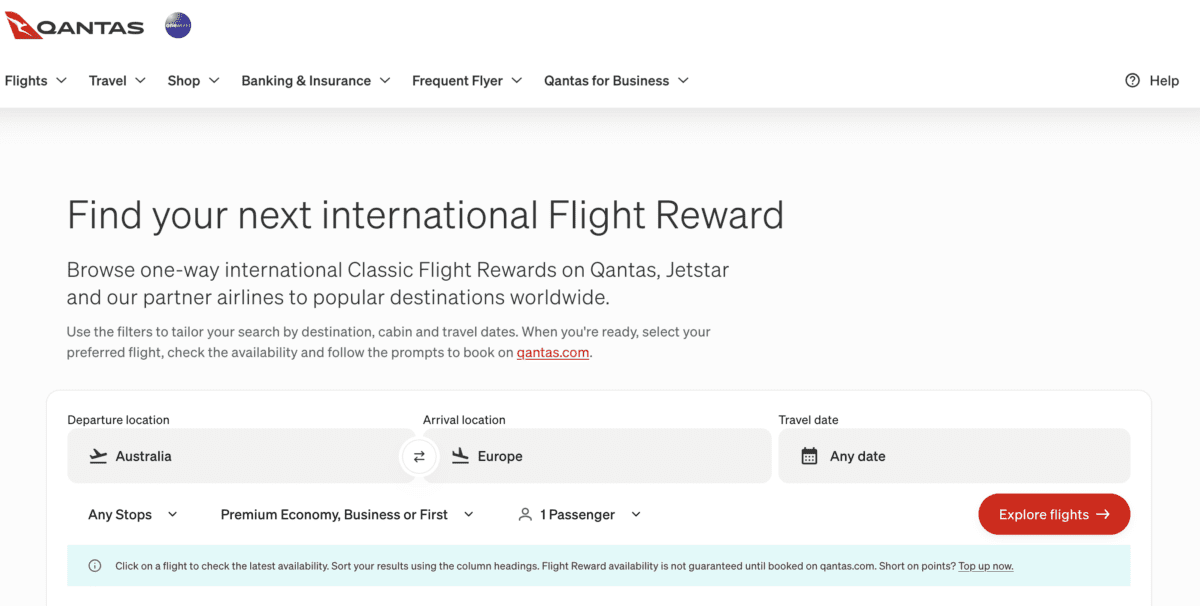
The new search tool enables the process to change from a narrow to a broad search.
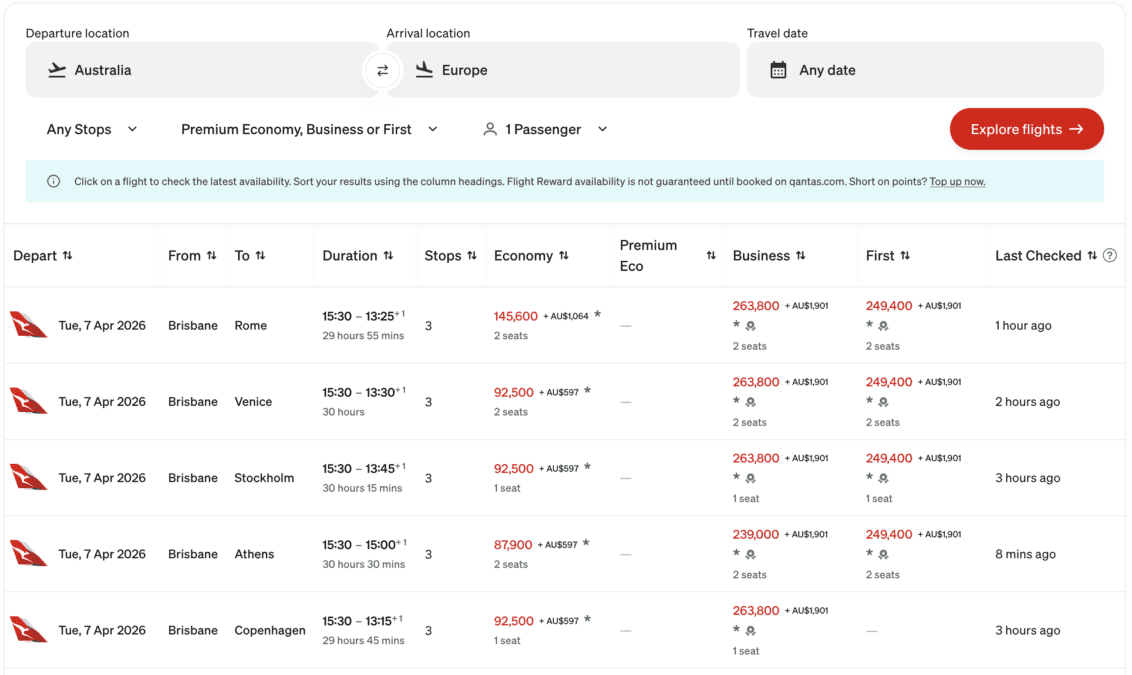
Instead of entering a single route, you can now search region-to-region, such as Australia to Europe or Australia to Asia. The system then shows available Classic Reward seats across multiple cities, routes and airlines, all at a single view.
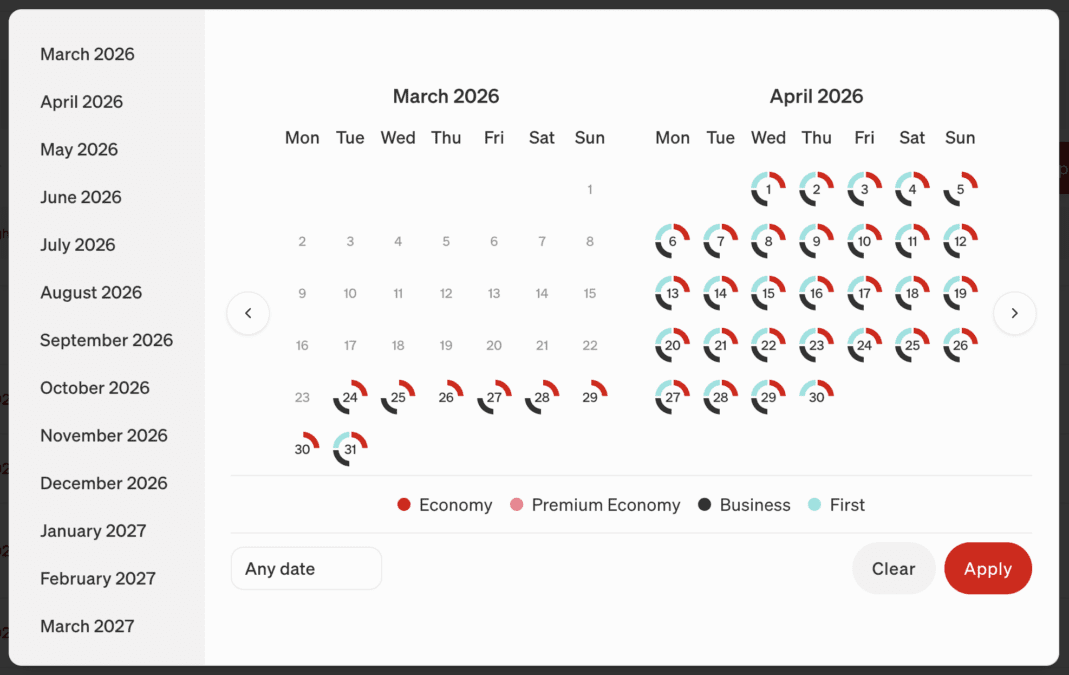
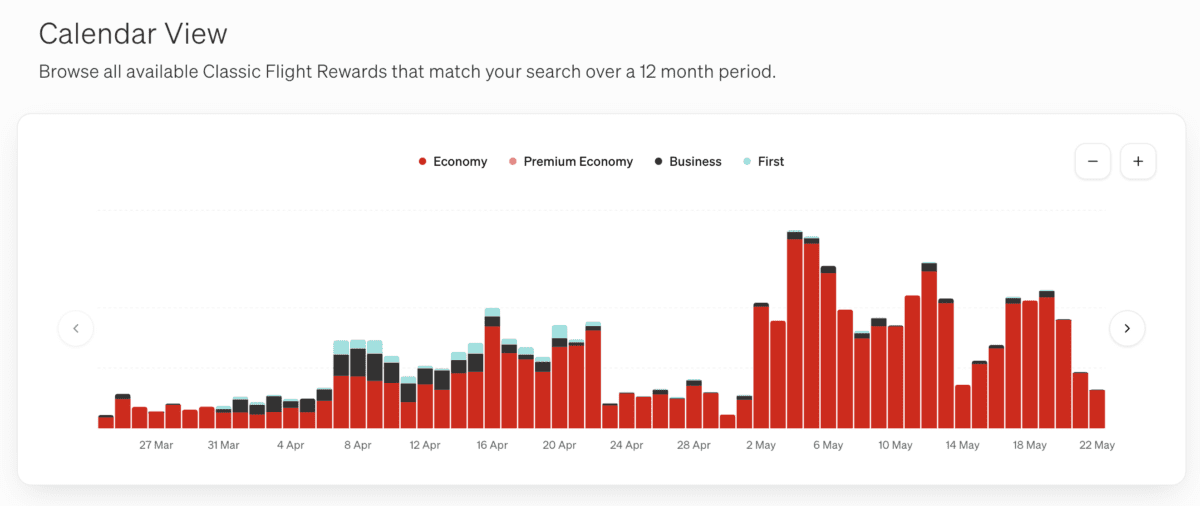
Crucially, you can scan availability across a 12-month window, making it far easier to spot patterns, like when seats tend to open up, or which days have better availability. It even produces a graph of seat availability by class on the route over time. Instead of having to conduct multiple searches over and over, tweaking dates and cities, this pretty much gives it all to you on one screen.
Qantas deserve some praise for this, but on the other hand, some third parties have had this available for a year or more.
More airlines, more options
The tool doesn’t just look at Qantas flights. It pulls in reward seat inventory from partners, including Emirates, Cathay Pacific, and other OneWorld carriers, plus additional partners, and Jetstar.
To give you some examples, a simple search of Australia to Europe might show availability from any state capital. You will see Qantas via Singapore, via Hong Kong with Cathay Pacific, or via Dubai with Emirates (hold your breath on that one for the moment), and many others. However, there are some you won’t see. I’m not seeing several OneWorld partners like Japan Airlines or Oman; maybe I’m not searching far enough ahead.
There have been a number of third-party tools that provide these functions to varying degrees, but although offering some free services, fare watching and multiple searches usually require a fee or subscription. So, at least on that note, this new facility is a great improvement, although it does threaten some of those third-party economic models
Qantas is effectively baking this multiple airline search strategy into this search engine, which is a great thing.
Classic Reward redemptions
Classic Reward seats are still the best-value way to use Qantas Points.
A one-way business class seat to Singapore costs around 82,100 points, while long-haul routes like London or New York sit at about 166,300 points — far less than the often eye-watering totals seen with Classic Plus rewards. The catch has always been availability, and the clunkiness of the Qantas redemption fare search engine.
What this tool does is improve discoverability, not supply. There aren’t more seats, but there’s a much better chance you’ll actually find the ones that exist. Queue the ‘Hunger Games’ of search competition between frequent flyers!
Responding to Classic Plus criticism
The timing is also interesting. Qantas’ newer Classic Plus rewards have drawn criticism for offering more seats at significantly higher points prices, often tied to the underlying cash fare.
By contrast, Classic Rewards remain fixed-price and far better value, but historically harder to access.
Improving the search experience feels like a tacit acknowledgement of this criticism. If members can find Classic Rewards more easily, they’re more likely to stay engaged with the program. Or from another point of view, you don’t want to piss off your most loyal and savvy customers trying to use their hard-earned points.
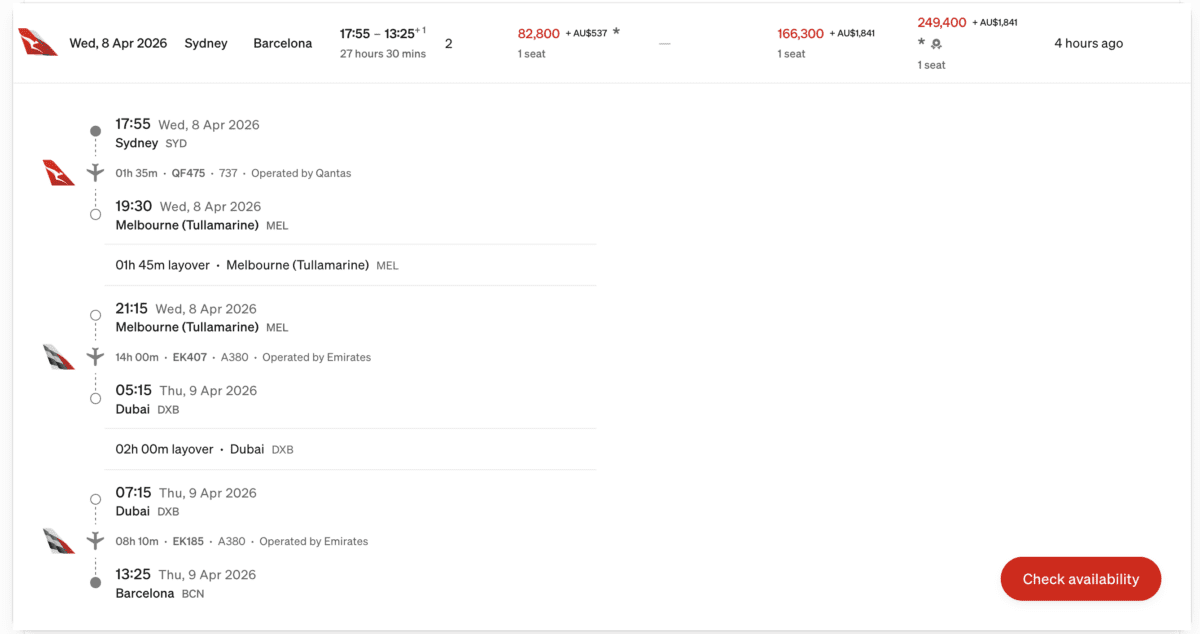
User Guide
I hope to present a longer and more detailed user guide once I have had a chance to play more with the tool, so consider this my initial reaction.
The biggest change here is how you approach booking. Instead of locking in a destination and date, you can start your search really broadly. You can always narrow your search later. Search across regions, scan different travel windows, and you will be shown all sorts of alternative routings.
The results generated might mean that you are flying to Europe via Asia instead of the Middle East. You also might be departing from a different Australian city, involving a repositioning flight. You will be show possiblities for travelling a day earlier or later than planned
These are the common strategies well-informed frequent flyers have always used; the difference now is that the tool makes them much easier to execute.
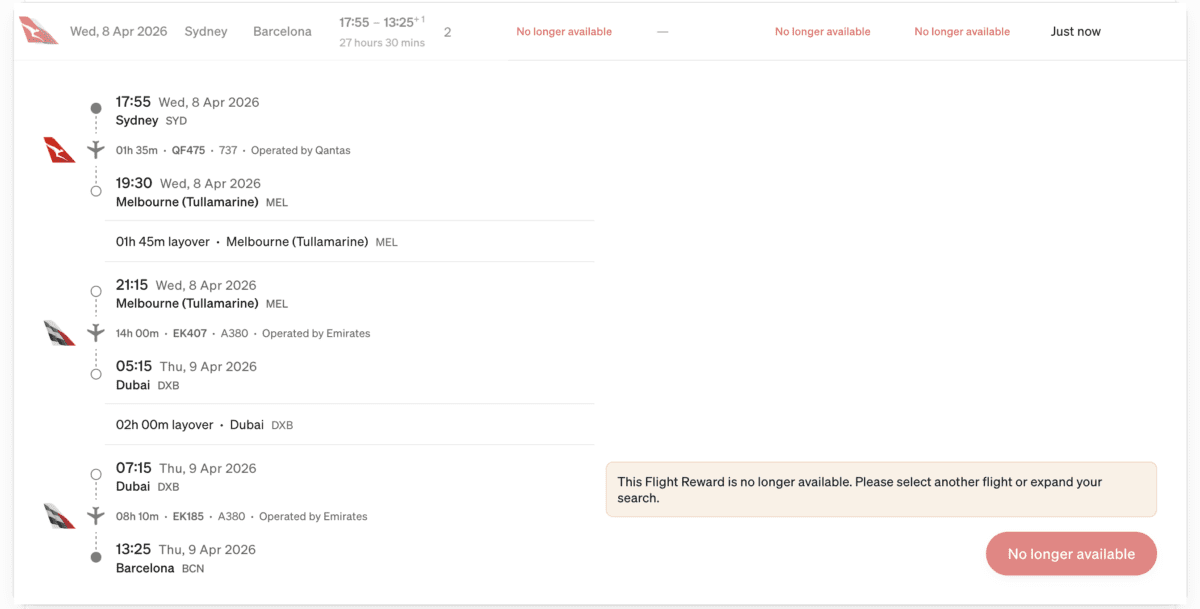
The other caveat to remember is that this is a delayed search tool. It’s only an indicator of what was available. In the far-right column, you will see how recently the availability has appeared. Sometimes it’s minutes ago, and sometimes 15 or more hours prior. What it shows is not guaranteed. When you click an option, a button at the bottom right of the flight details says ‘Check Availability’. When you click it, it changes to ‘continue’ after thinking, and then you can click the rewards booking engine.
In the trials I have done, the flights have been available, but don’t count on it. Otherwise, there would be no use for this step.

2PAXfly Takeout
This is one of those rare loyalty program updates that actually benefits travellers. It doesn’t solve the most important problem of not enough premium cabin availability of redeemable Classic Rewards fares, but it does allow you to find the ones that are available in a far more user/customer friendly manner.
It sure is going to make searching for availability much less time-consuming.
Well done, Qantas.








What did you say?